
Disclosure: This article contains affiliate links. If you buy through them, HonestBeat may earn a commission at no extra cost to you.
The HiDock P1 makes an unusual promise for a $169 voice recorder: it can capture both sides of a phone call while you’re just wearing your normal Bluetooth earphones. No other recorder I looked into does that. So I dug into the specs, the official policies, and independent hands-on testing to see if the P1 actually delivers.
What it is
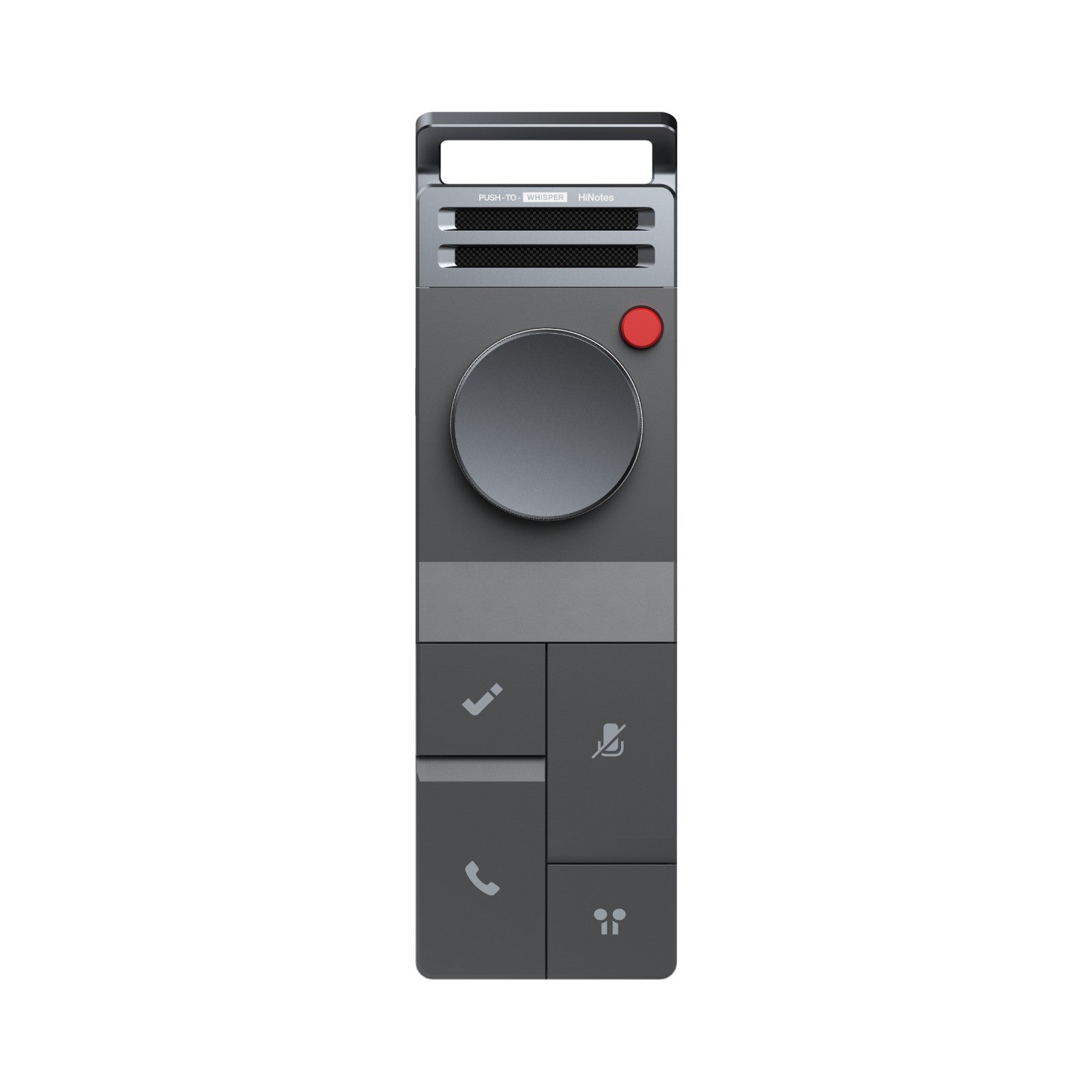
The HiDock P1 is a pocket-sized recorder built around HiDock’s BlueCatch technology. You pair your phone and your Bluetooth earphones to the P1, and it sits in the middle, capturing the call audio while still routing sound to your ears normally. It also records in-person conversations through its own dual studio-level microphones.
- Price: $169.00
- Dimensions: 5.0″ x 1.5″ x 0.6″ (126 x 38 x 15.8 mm), 0.16 lbs
- Storage: 64GB local, roughly 1,000 hours of recordings
- Battery: 600mAh, up to 8 hours of continuous recording
- Modes: Call Mode, Room Mode, Whisper Mode, with bi-directional noise cancellation
- Compatibility: macOS, Windows, iPhone 15 and later, Android with OTG
- Transcription: 75 languages, lifetime free on the standard tier
What real testing found
Independent hands-on review site TheReviewRewind put the P1 through real use and scored it 4.1 out of 5. Their biggest praise was for build quality. They described the metal body as feeling premium, with a mechanical dial that gives “satisfying” tactile feedback, not the cheap plastic feel a lot of gadgets in this price range have.
BlueCatch itself held up too. The reviewer called it “a genuine differentiator that no other voice recorder on the market offers,” which lines up with what I found researching competitors. Transcription speed was also solid: about a minute of processing time per recording, with quality described as good for everyday use across the supported languages.
It’s not flawless. The same review flagged two real issues. First, the microphones can clip and pick up static in loud environments, like amplified presentations or busy venues. Second, speaker identification, arguably the single most useful feature for meeting notes, sits behind a paid HiNotes membership despite HiDock’s “lifetime free transcription” marketing. The free tier covers transcription itself, just not who-said-what labeling.
There’s also a hardware limit worth flagging before you buy: the P1 only works with iPhone 15 and newer. If you’re on an older iPhone, it won’t pair the way it’s designed to.
What’s actually in the box
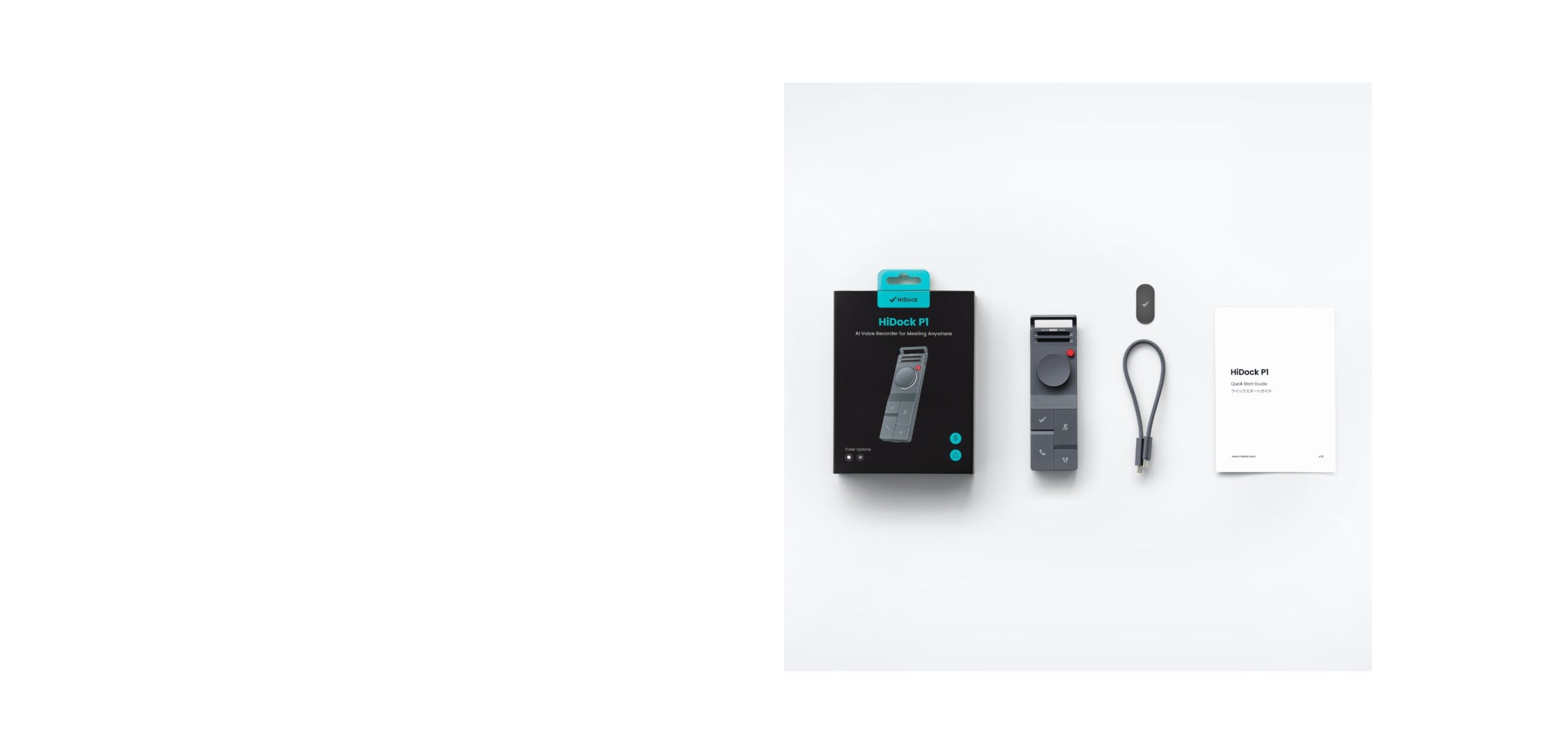
You get the P1 device itself, a metal mounting plate, a touch control cable, and a quick start guide. Nothing extra, nothing missing. The 64GB of onboard storage means you’re not immediately shopping for a memory card, and HiDock says a full hour of recording transfers over USB-C in about a minute.
How it compares
At $169, the P1 sits right in the middle of the AI recorder market. Plaud’s Note Pro costs about the same for the hardware but leans harder on paid subscriptions for full features, which can add up to more over a year of heavy use. The P1’s free tier is genuinely usable long-term if you don’t need speaker labeling.
I put together the fuller side-by-side numbers in HiDock P1 vs. Plaud Note Pro, and if the P1’s form factor isn’t quite right for you, the rest of the lineup is covered in how to choose a HiDock.
Should you buy it?
If your calls happen through Bluetooth earphones and you want a transcript without changing how you already work, the P1 does something genuinely uncommon. The build quality backs up the price, and the return policy gives you 30 days to decide it’s not for you, with an 18-month warranty after that.
Skip it if you mostly record in loud rooms, need speaker ID without paying extra, or you’re on an iPhone older than the 15. For everyone else, it’s one of the more useful $169 gadgets I’ve looked at this year.
Before you buy, check where to buy an authentic HiDock so your warranty stays valid, and once it arrives, these care and usage tips will help it last. For the bigger picture on the brand, start with is HiDock worth it.
Keep reading: Is HiDock worth it?, How to choose a HiDock, and HiDock care and usage tips.