
Disclosure: This post contains affiliate links. If you buy something through one of them, we may earn a small commission at no extra cost to you.
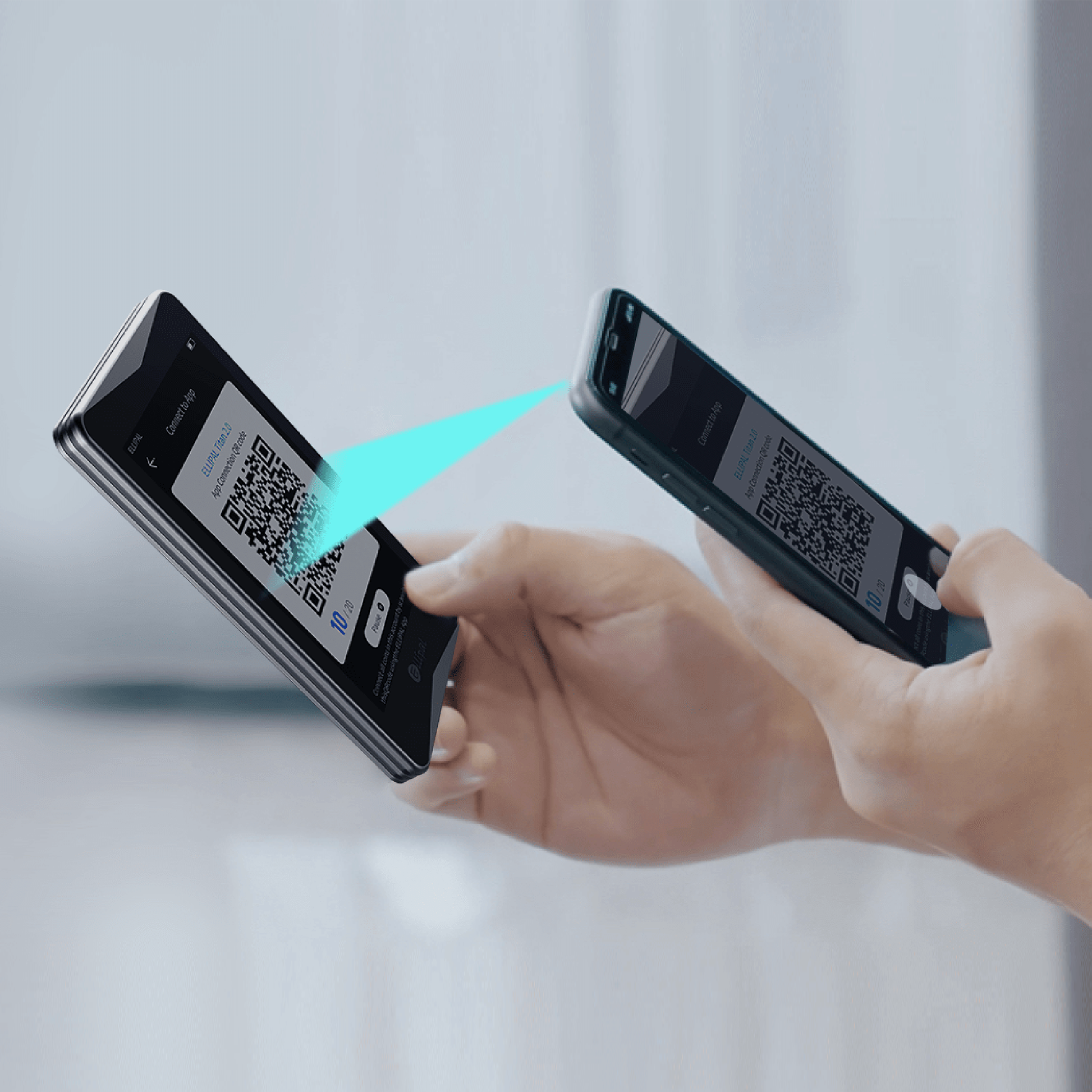
The Titan 2.0 is ELLIPAL’s flagship device, and it’s the one most reviewers point to when they talk about the brand. Regular price is $169, it runs a 4.0-inch IPS touchscreen off a 1400 mAh battery, and it signs every transaction through a QR code instead of a cable. I went through the official spec sheet and a hands-on third-party review to see whether that setup holds up in daily use.
What’s actually inside the box
The standard package includes the device itself, a charging adapter and cable, a microSD card, a printed manual, and two seed phrase recovery sheets. The body measures 118 × 66 × 9.7 mm and weighs 140g, noticeably larger than a USB-stick style wallet, but that’s the trade-off for a full touchscreen and rear-facing QR camera.
Under the hood is a CC EAL5+ certified secure chip, the same class of certification used in payment cards and passports, paired with a fully metal-sealed body designed to wipe stored data if someone tries to physically pry it open. You can run up to 10 separate accounts on one device, including a hidden secondary wallet that only shows up if you enter a specific passphrase.
How QR signing actually feels day to day
This is the part most people are skeptical about before they try it. Instead of plugging in a cable, you hold the Titan 2.0’s screen up to your phone’s camera to receive transaction data, review it directly on the device, and then hold the device’s own rear camera up to your phone to send the signed transaction back. Coin Bureau’s hands-on review said the flow “felt normal” after the first couple of transactions, and that the larger 4-inch screen made it noticeably easier to actually read and verify what you were signing compared to smaller-button competitors.
The same review flagged one practical catch: QR scanning needs decent lighting and a clean screen to work reliably. It’s not a dealbreaker, but it’s worth knowing before you try to sign a transaction in a dim room.
What buyers and reviewers are saying
Coin Bureau’s overall score for the Titan 2.0 was 4.8 out of 5, calling it “a very strong hardware wallet for mobile-first users who prioritize QR-based offline signing.” The stated cons were real, though: a more closed ecosystem than rivals, weaker multisig support, and less flexibility for desktop-first power users.
Independent buyer reviews echo the security praise but flag the same shipping and support friction the wider brand deals with. If an order goes wrong, response times have been inconsistent according to reviews.io feedback, so it’s worth buying with enough lead time and keeping your order confirmation handy.
Titan 2.0 vs the rest of the ELLIPAL lineup
Against the Titan Mini, the 2.0 gets you a bigger screen and battery for $90 more. Against the X Card, you’re trading a pocket-sized NFC card for a full touchscreen device with a much wider account management interface. If you’re not sure the Titan 2.0 is the right pick for how you actually use crypto, my how-to-choose guide walks through the decision by use case and budget.
Should you buy it
If you manage crypto mostly from your phone and want the strongest realistic separation between your keys and the internet, the Titan 2.0 delivers on that promise. The 4-inch screen genuinely makes transaction verification easier, and the security chip and metal body back up the marketing with real specs.
Just buy from an authorized source (see my guide to buying ELLIPAL authentically), and once it arrives, run through my care guide so the firmware and seed backup are set up correctly from day one.
Keep reading: my full ELLIPAL brand review, how to choose the right ELLIPAL wallet, and where to buy ELLIPAL authentically.